Run your whole Creator Marketing program
in one place.
With your own creators. They don't need to be on BuzzGetter.
Here's what we've added since the summer.
Your creators, your campaigns, start to finish.
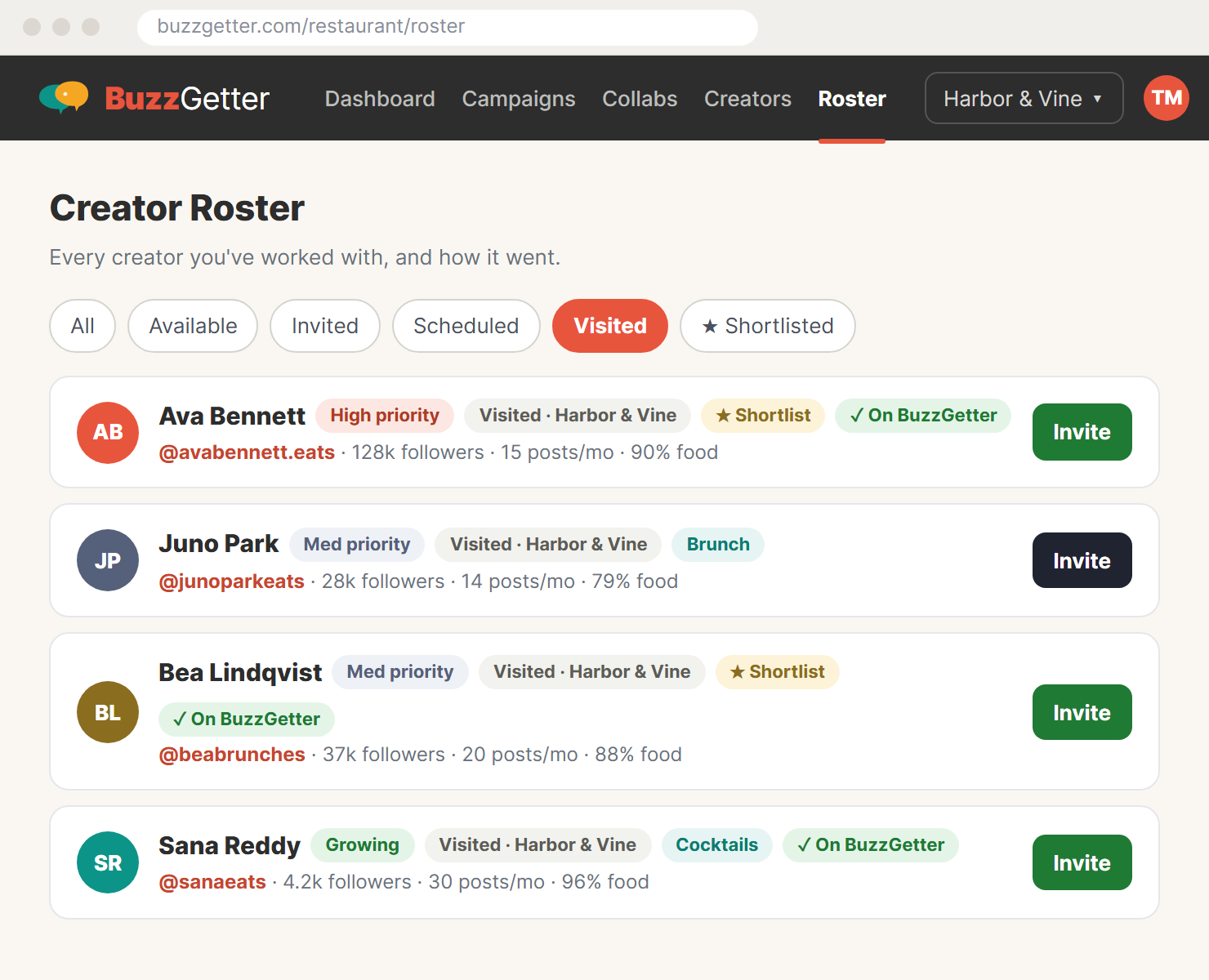
Keep every creator you work with in one list your whole team can see. Run private campaigns for them and track results in the same place.
- One Creator Roster. All the data you need to decide who to invite, with Instagram stats that update on their own.
- Find the right creator fast. Filter by what they cover, priority or your shortlist to pick who tells your story best.
- Private campaigns. Only the creators you invite can see them.
- Booking without the back-and-forth. Confirmed visits come with Add to Calendar, and the creator and your team get customized emails before the visit.
- Track Success. Record each post's Views, Likes, Comments, Saves and Shares, and update them as the post keeps growing.
- Pick up where you left off. Past Campaigns keeps finished work together, and Duplicate Campaign starts the next one from the last.
Still want new faces? The BuzzGetter network is still there. Local food creators find your campaigns and send you requests. Best practice: combine your private roster with the BuzzGetter network to maximize certainty and reach.
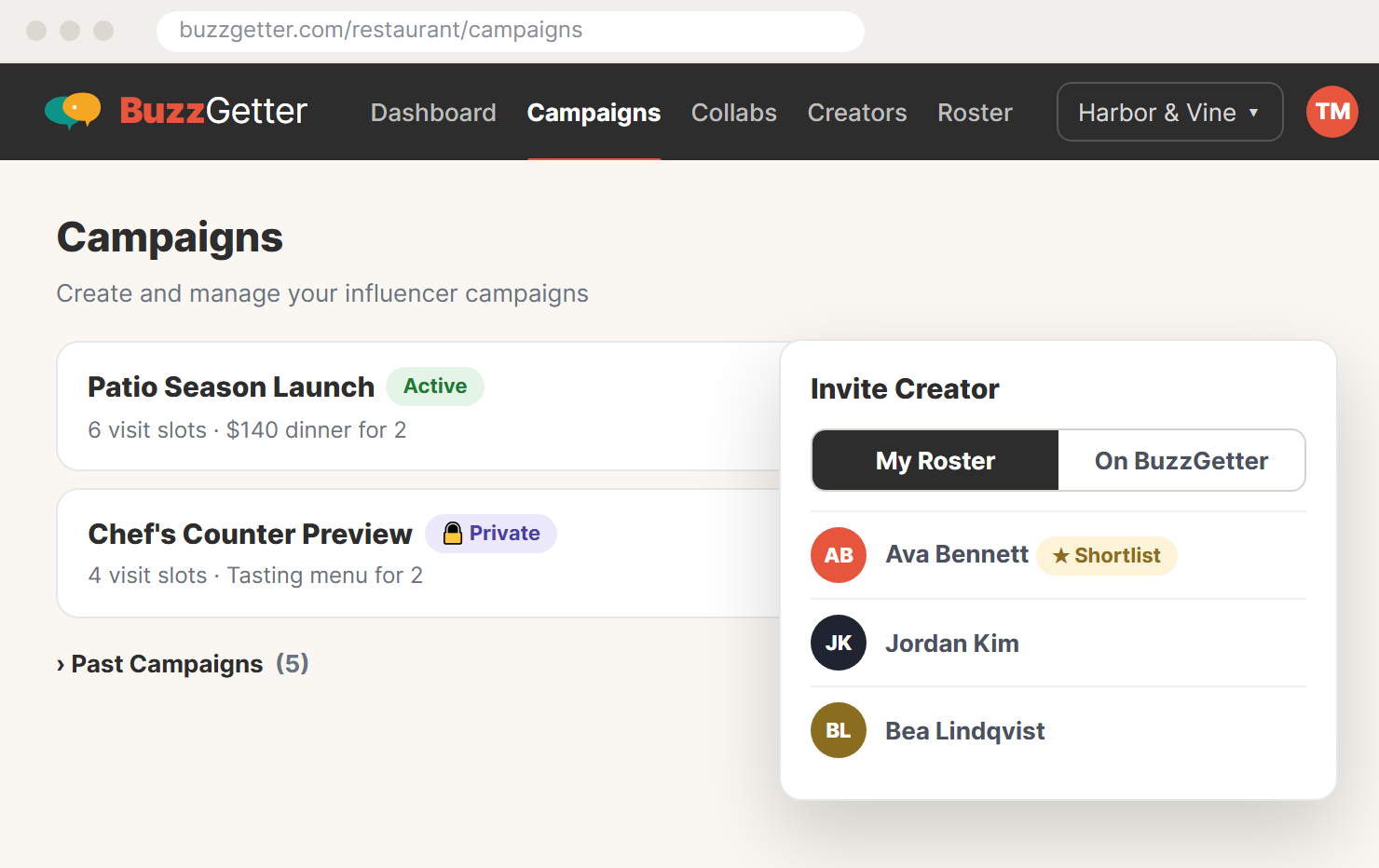
Your creators never have to join.
Bring the creators you already know.
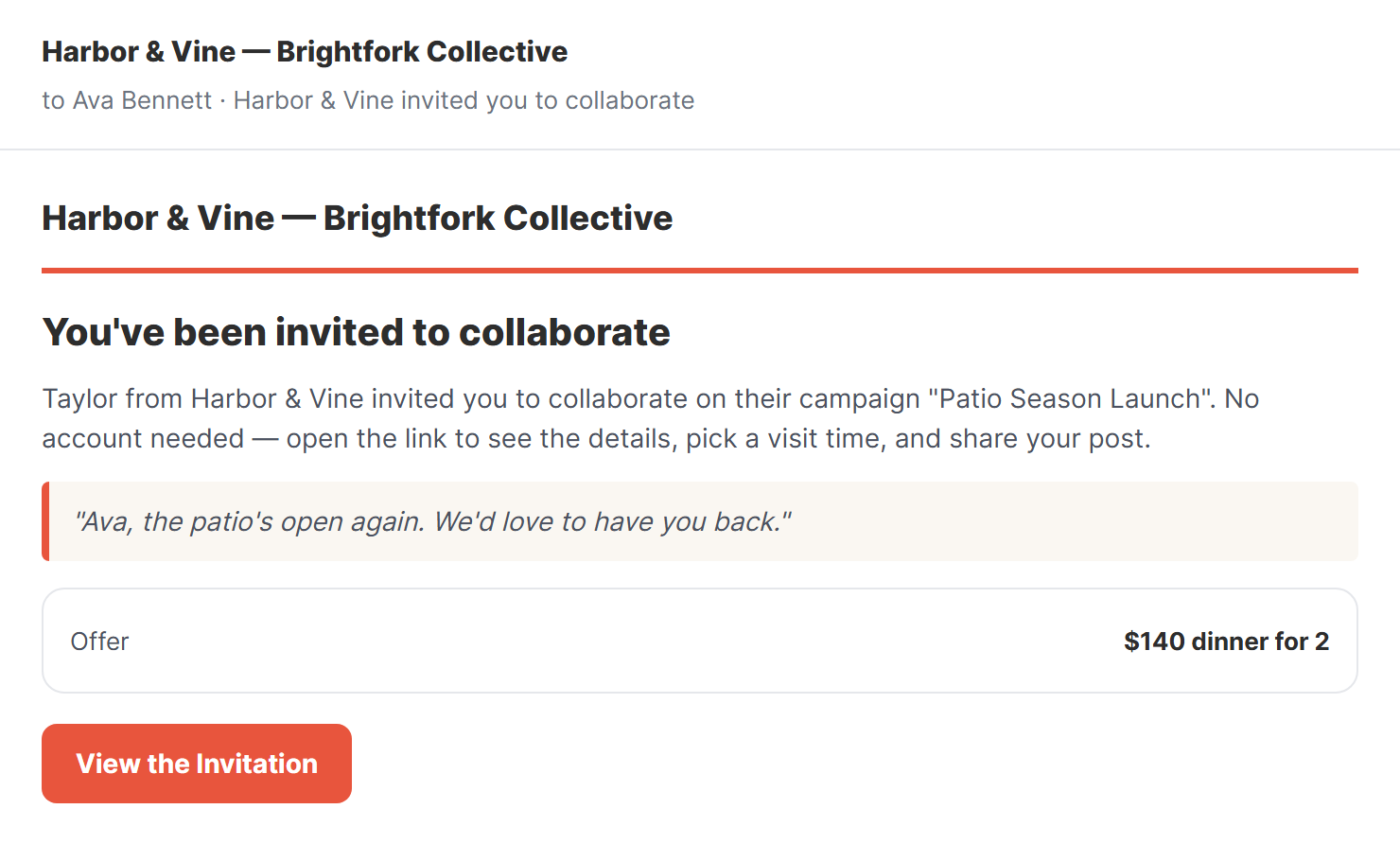
- Invite them by email. Add a creator to your roster and invite them straight into a campaign.
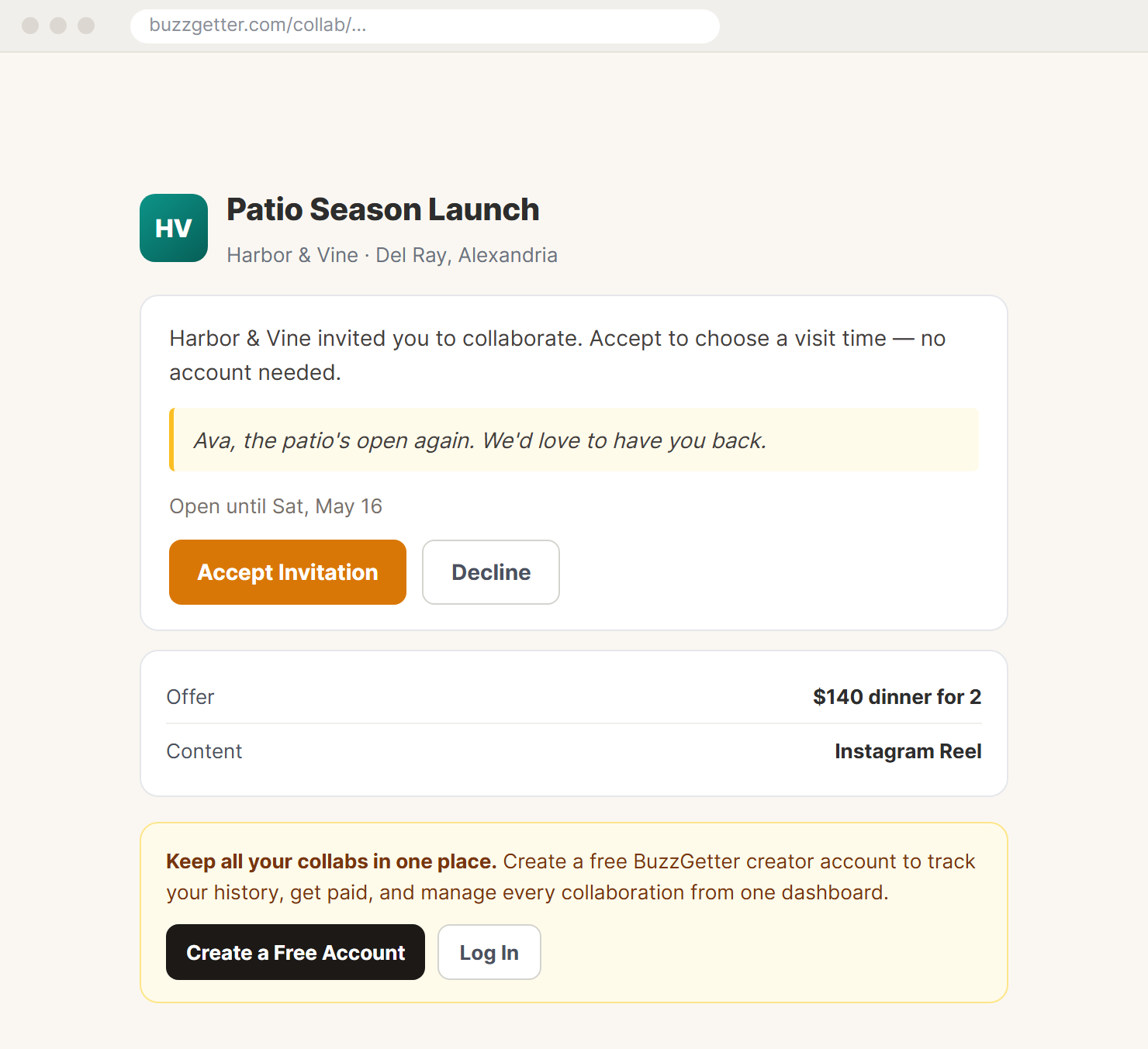
- Everything happens from one link. They open it to accept, choose a visit time and share their post. No account, no password.
- Joining later keeps their work. If they join the BuzzGetter network down the road, they can add their prior collaborations to their dashboard.
Don't miss a good creator, and don't leave one hanging.
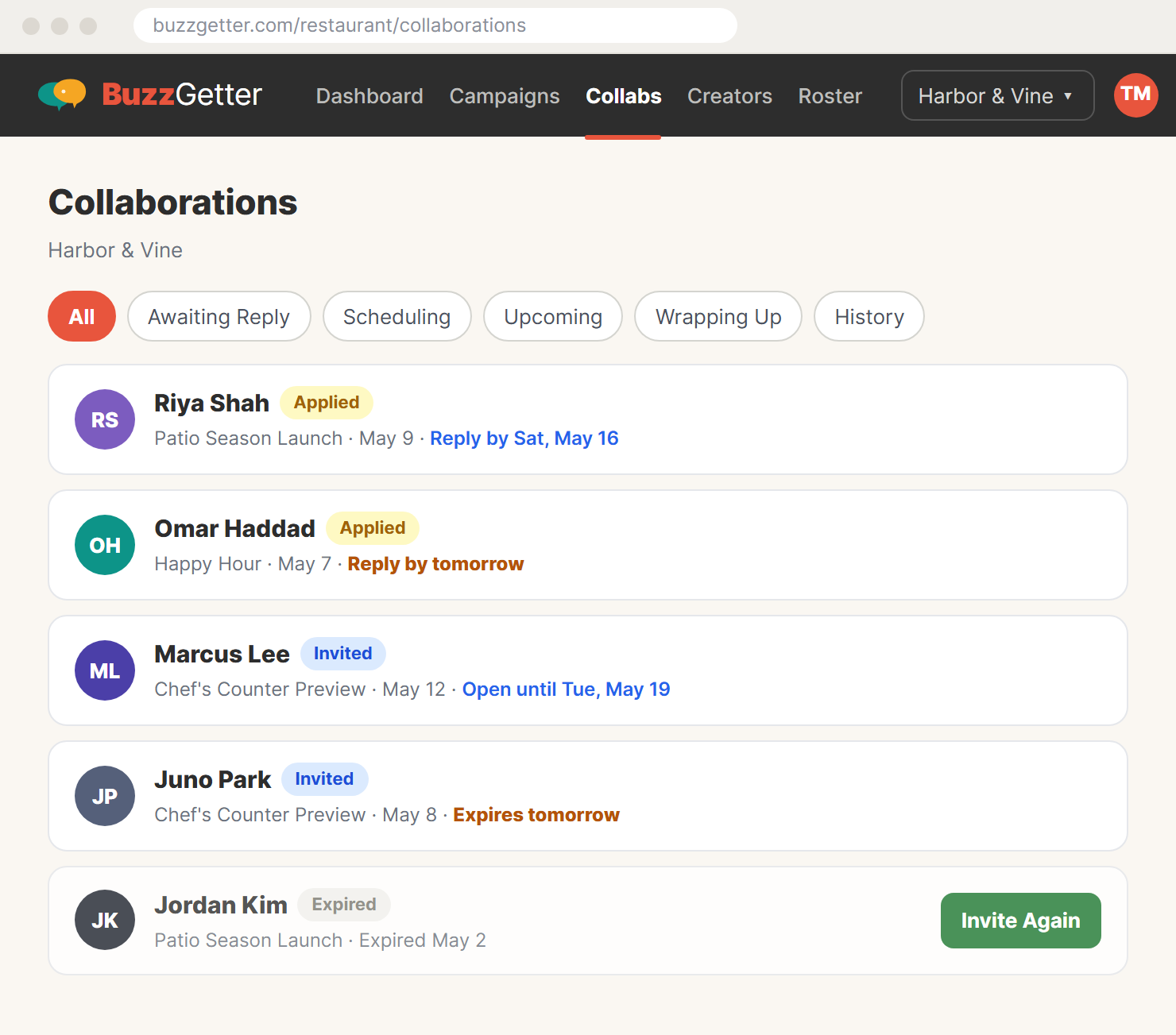
Invitations and requests now have a clear last day, in both directions. Reminders keep everyone on track.
- Every invitation shows its last day. Creators see when it closes and get a reminder before it does.
- Every request shows Reply by. You get a reminder on day 3 and the day before the last day, all in one email a morning.
- Nobody waits forever. A request you don't answer expires after 7 days, and the creator hears that it expired.
- Easy to pick back up. Resend Invitation while one is open, or Invite Again after it expires.
You decide who reaches you.
No flooding
A creator can only have a few requests waiting at once, and only so many in a month.
Not a fit? Say so once.
Decline a creator who isn't right for you, and choose not to hear from them again.
Do Not Invite
Mark a creator Do Not Invite on your roster, and nobody on your team invites them by mistake.
Running several restaurants?
Everything above works across every location, from one login.
One login, every location
Your whole team sees every restaurant by default. Or assign someone to only the restaurants they handle.
One roster across all of them
Keep one Creator Roster for every location. Mark Do Not Invite for one restaurant or all of them.
Bring your restaurants in
A group adds the restaurants it owns. An agency asks a client already on BuzzGetter for access, or sets up a new one.
Agencies: emails go out under your name
Creators see your client's name and yours on every email, and their replies come back to you.
Your creators and new ones, all in one place.
For restaurants, restaurant groups and the agencies that run their marketing.
Screens show sample data.